Kagen Invoice
Send a proper invoice in two minutes. Get paid sooner.
Invoices with your own name and logo, a PDF and a link your client can open on any phone, and one screen that shows who owes you what. Built for barns, trades and small shops.
Kagen Invoice is in preview. Questions? 817-422-8663
Your name on it. Your logo, address and payment details on every invoice and email.
Sent for you. The PDF and a link go by email. Replies come straight to you.
Monthly in one click. Board, rent or retainers: next month's invoices are ready to check and send.
A person answers. The people who run it pick up the phone.
Everything an invoice needs
From the price list to “paid”
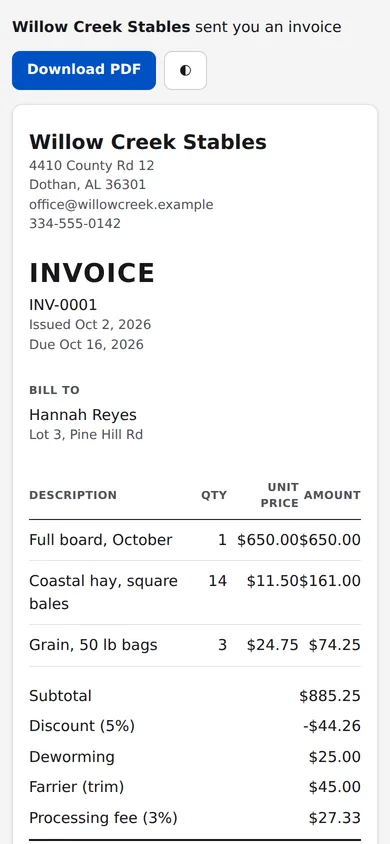
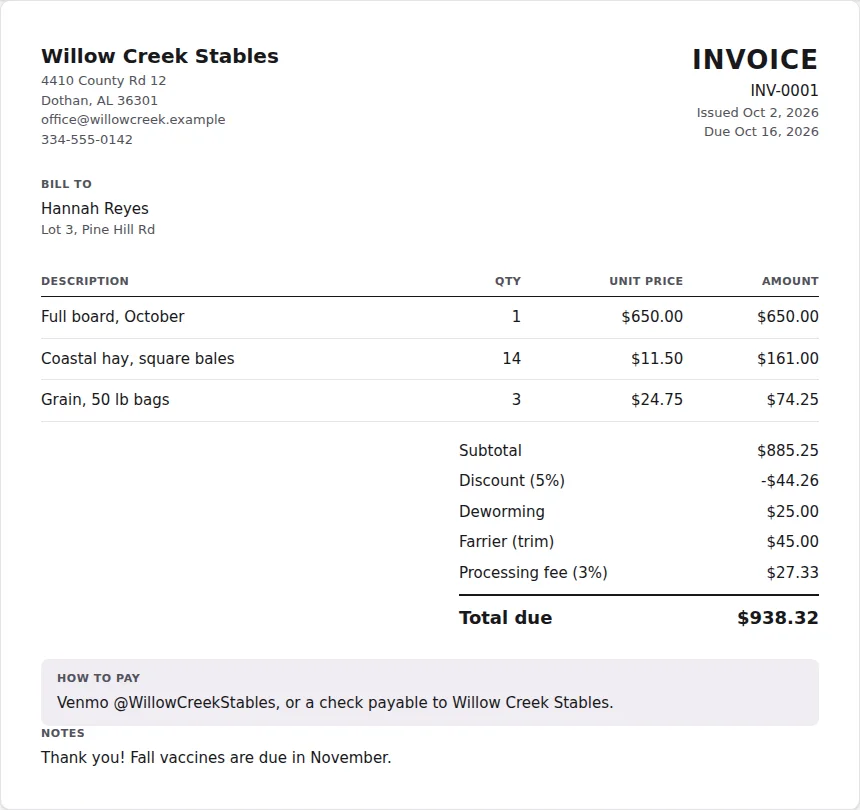
Made from the way a real barn bills every month: board, hay, a discount for a good client, the farrier, and a card fee.
Clients and a price list
Save your clients and the things you charge for once. Pick them when you build an invoice.
Discounts and extras
A discount on one line or the whole invoice, in percent or dollars, plus named extras like deworming or a call-out fee.
Processing fee, done right
Add a card or processing fee as a percentage. It's charged after the discount, never on top of itself.
PDF, email and a link
Each invoice is a clean PDF. Email it from here, or copy a private link your client can open without an account.
Know who owes you
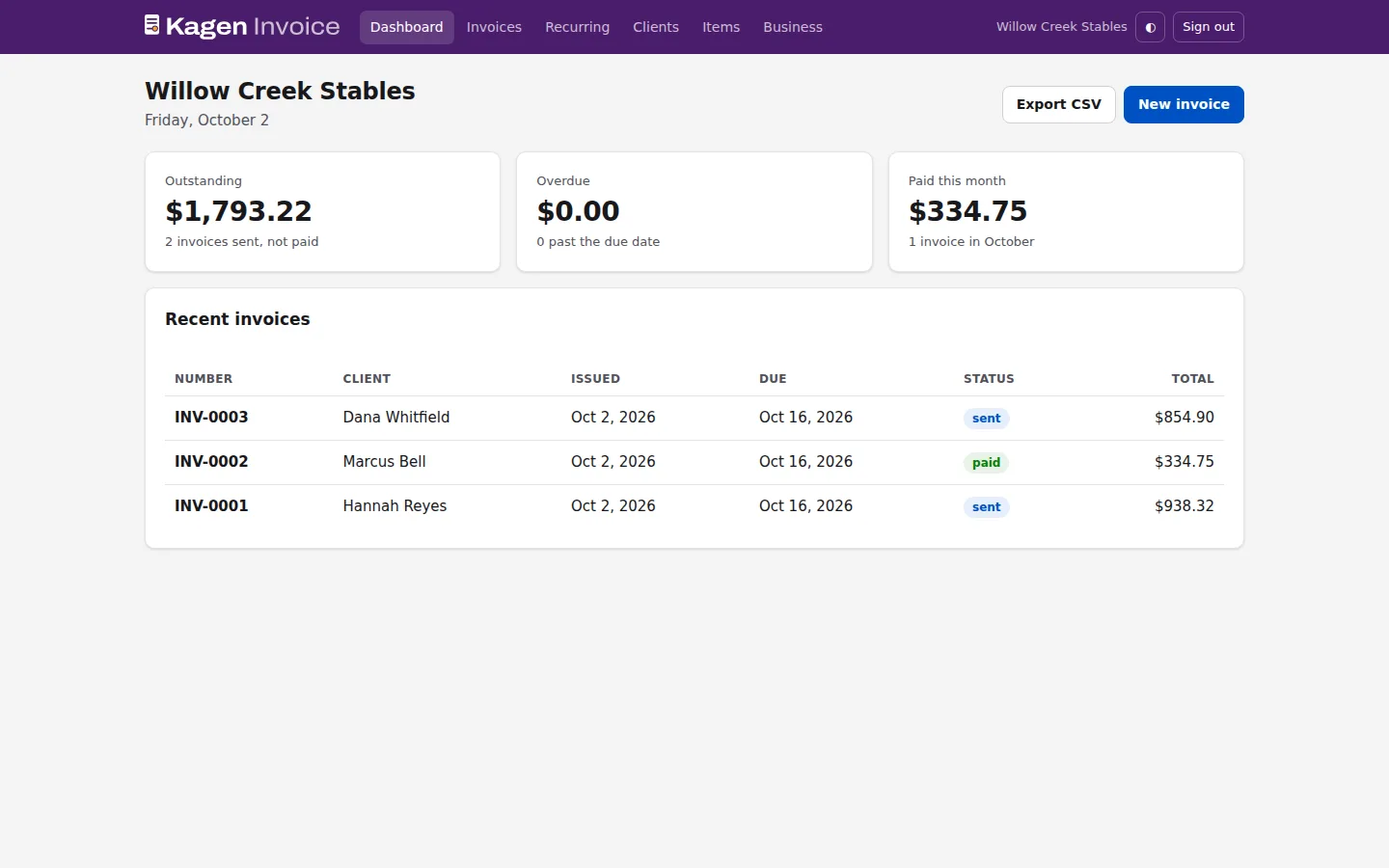
Outstanding, overdue and paid this month on one screen. Mark invoices paid as the money comes in.
Your records, kept
Numbered invoices, a history of every send and payment, and a CSV export for your accountant.
How it works
Set up once, then it's two minutes a month
- Sign in with your Kagen Cloud account and add your business details and logo
- Add your clients and your prices
- Build the invoice, check the total and send it
- Mark it paid when the money arrives, or copy it for next month
Getting paid stays the way you like it: Venmo, check or bank transfer. Your instructions go on every invoice.
Questions
Do my clients need an account?
No. They get an email with the PDF attached and a private link to view or download the invoice on any device.
Can it take card payments?
Not yet. Each invoice shows your own payment instructions, like Venmo or a check, and you mark it paid when the money arrives.
How is the processing fee worked out?
As a percentage of the total after any discount, including extras. It is never charged on tax or on itself.
Where is my data kept?
On K-Jensen's own servers in the US, in a managed database with nightly backups. Only you can see your invoices.
Who runs Kagen Invoice?
K-Jensen LLC, a company in Dothan, Alabama. It also runs Kagen Cloud and Kagen Mail, and one sign-in works for all three.
How much is it?
Kagen Invoice is in preview. Call or write to us and we'll set you up.
Send your next invoice from Kagen Invoice
Sign in with your Kagen Cloud account, or call and we'll set it up with you.